[ PRACTICAL GUIDE / RELEASE FORMATS ]
How to plan an AI music video for horizontal and vertical release
[ THE SHORT ANSWER ]
Plan horizontal and vertical delivery before approving the keyframes. A wide composition can lose its subject, visual joke or important relationship when cropped to a tall frame. Some shots adapt easily; others need a different composition or an alternative shot.
Before you begin
Treat the formats as two views of the same film. They should share a visual identity, even when their framing needs differ.
Identify shots that depend on width
Mark scenes with two separated subjects, a large environment reveal or movement across the full frame. These are likely to need attention in a vertical version. A central close-up is often easier to adapt, but that does not mean the whole film should become centered close-ups.
Use a vertical frame overlay during planning. Check what disappears and whether the remaining image still tells the intended story. Do the same with planned titles and artist branding; a composition is incomplete if the final text has nowhere to sit.
Decide which shots get alternatives
Create a simple shot list with three labels: shared composition, reframed version, separate composition. Spend additional generation time on the last category, where a crop genuinely loses the idea.
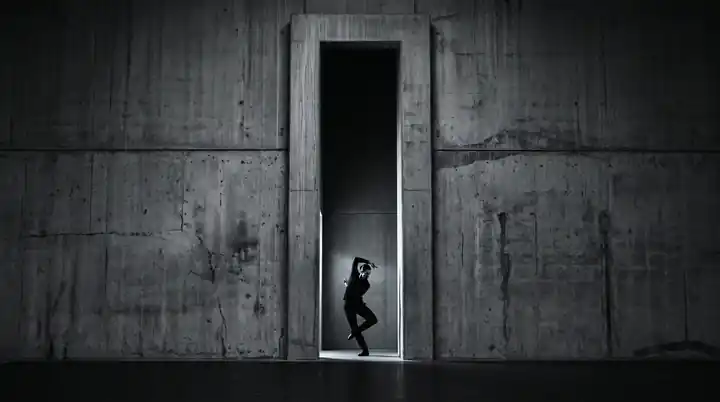
For example, a lone figure at the end of a corridor may work in both versions. Two figures facing each other at opposite edges of a wide room may need a tighter alternate or a different cutting pattern. Make that choice before generating many near-identical wide shots.
Working on the next decision? Read How to choose an AI music video director for your release.
Reframe movement, not just the opening image
A crop that works on frame one may fail when the subject moves. Review the whole clip and inspect entrances, exits and gestures. Automated reframing can help follow action, but its result still needs a playback check.
Premiere offers tools for creating a differently proportioned sequence and applying Auto Reframe. Treat these as editorial assistance. They cannot reveal an object that was never present in the original image.
Build separate final timelines
Keep the approved horizontal edit and its vertical version clearly named. Revisit shot lengths if a tighter frame changes how quickly an action reads. A crop can make a subtle gesture obvious or remove the context that made a cut understandable.
Test the output at a realistic viewing size. Large desktop previews can disguise unreadable captions and overly small subjects in the actual release.
Include format decisions in the brief
List the required aspect ratios, durations, text versions and destinations when commissioning the film. Specify whether the vertical version is a full-length adaptation, a teaser or both.
This turns additional formats into planned deliverables rather than emergency fixes. A director can then design the image system around the release, while keeping the song and its visual world consistent across screens.
Sources and further reading
AI-assisted practical guide published by Chris Raw Studio. The linked references support the technical and product information; planning examples are illustrative. No original product test is claimed.