[ PRACTICAL GUIDE / TEXTURE & DELIVERY ]
Why does film grain disappear or turn muddy on social video?

[ THE SHORT ANSWER ]
Fine grain is a moving pattern, and a delivery pipeline may not preserve it exactly. Resizing and compression can make it less visible or turn busy texture into muddy patches. Evaluate the final viewing route before increasing grain across the whole film.
Separate source noise from added texture
Compare a clean version with the texture stage disabled. AI footage may already contain changing surface detail, sharpening artifacts or compression noise. Adding another layer can make those problems harder to identify. Look especially at skies, walls and shadow areas where there is little subject detail to distract the viewer. Decide what the added texture should contribute beyond simply making the image less clean.
Test scale at delivery resolution
A texture that looks restrained on a large working image can behave differently after downscaling. Export a short test at the intended dimensions and inspect it at normal viewing size. Compare several restrained variations rather than making one aggressive global change. Watch the subject's face and important text: texture should support the image, not compete with recognition or legibility.
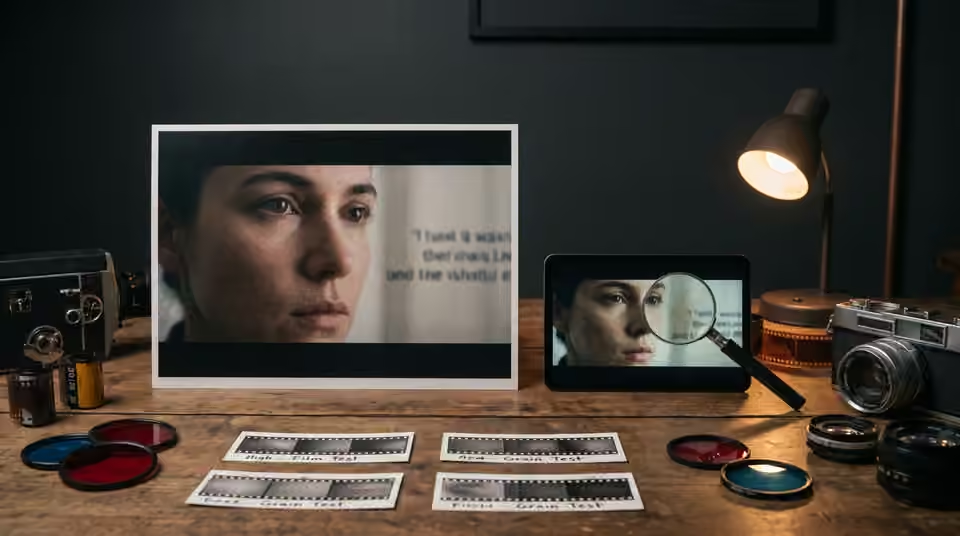
Compare the uploaded result
Review the platform's processed version when a test upload is part of your approved workflow. Keep the local export for comparison so you can identify what changed after upload. There is no universal grain amount that survives every platform, scene and viewing device. A quiet close-up and a fast, detailed street scene may need different treatment even within the same release.

Working on the next decision? Read Does a .CUBE LUT add film grain to AI video?.
Keep a clean master
Retain the version before optional delivery texture and record which exports contain it. This makes it easier to prepare another format without stacking grain twice. Remember that a .CUBE LUT describes color transformation rather than a moving grain layer; choose and test texture separately. Approve the finished result in motion, at the size where the audience will see it, before carrying the treatment across every campaign asset.
Sources and further reading
- Does a .CUBE LUT add film grain to AI video? ↗
- Why does your AI video look different after export? ↗
- Adobe: color management in Premiere ↗
- Blackmagic Design: Resolve color tools ↗
AI-assisted practical guide published by Chris Raw Studio. The linked references support the technical and product information; planning examples are illustrative. No original product test is claimed.
Explore Chris Raw’s selected films to see the finished work, or meet the director behind the studio.